Skip to content

Browser-based 3D models for BIM and as-built planning

Precisely modeled and usable in the browser – for planning, coordination and change management.

Digital as-built models

What is a 3D model in Orbit?

As-built 3D model · building

A 3D model in Orbit is a structured digital replica of a building or facility. It is based on precise 3D laser scanning data from buck Vermessung that captures the real as-built situation with millimeter accuracy.

Based on this survey data, specialists create structured CAD and BIM models. Components, rooms and technical elements are clearly defined, classified and enriched with relevant information.

The result is a digital as-built model that is not only displayed visually but can also be evaluated professionally.

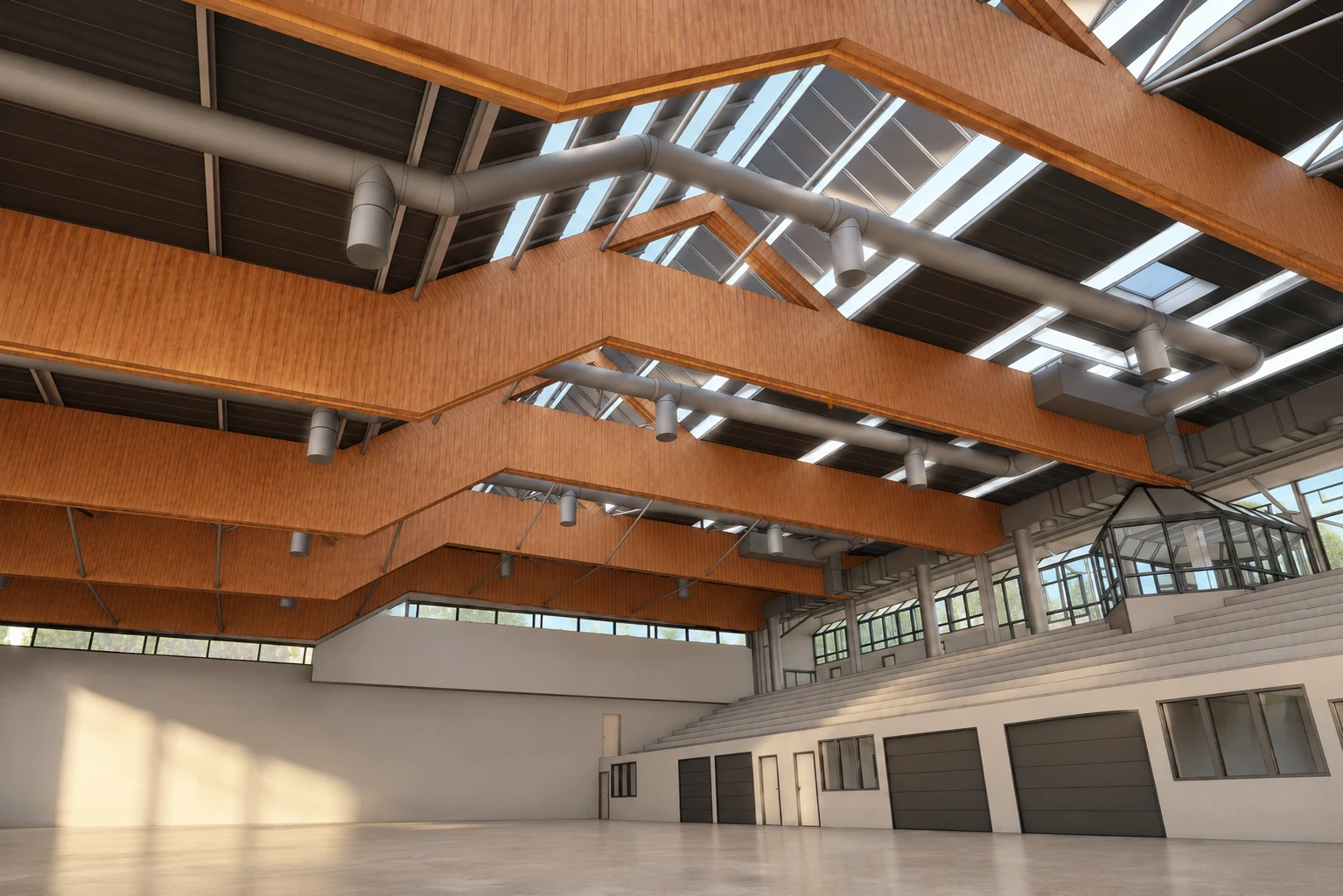
As-built 3D model of a hall with roof structure, ventilation systems and skylights
Browser-based 3D model system

Use 3D models interactively.

In Orbit, 3D models are displayed in the browser and made usable across projects. Planning teams can view models interactively, control components, create sections, retrieve information and record open issues directly in the IFC viewer as BCF snapshots – without separate desktop software.

Via the BIM Collaboration Format (BCF), these snapshots can be exchanged with all parties on a model basis. The model thus becomes the central data source for planning, coordination and change management.

Features of the 3D models

More than a visible model.

Orbit provides precisely modeled as-built 3D models right in the browser. The 3D laser scanning data captured by buck Vermessung is turned into structured CAD and BIM models by specialists and made interactively usable in Orbit.

The result is a digital planning basis that goes far beyond mere visualization: in the IFC viewer, topics can be documented as BCF snapshots, commented on and coordinated with all project stakeholders on a model basis.

01

Browser-based 3D models – available everywhere

Access large 3D and BIM models worldwide – without installation, right in the browser on desktop, tablet or smartphone. Your project data stays available at any time, whether in the office, on site or in the home office.

02

Precise measurements & sections right in the model

Determine lengths and distances directly in the 3D model. Ideal for condition checks, planning coordination or preparatory construction inspections.

03

Sections in real time

Create horizontal or vertical sections right in the browser. Internal structures become instantly visible and simplify coordination between planning, execution and facility management.

04

Flexible component control

Show and hide components, trades or model groups selectively. This reduces complexity and simplifies the structured analysis of large as-built models.

05

Component information system

Retrieve defined component information directly in the model. Technical properties, classifications and project-specific data become transparent and traceable.

06

Open BIM standards

Orbit works with open IFC models from common planning applications and supports structured workflows within BIM processes.

Digital project management with Orbit

Service overview

Orbit bundles all captured survey data in one central project environment.

Point clouds

High-resolution point clouds for analyzing as-built data in the browser.

View Point clouds

360° photo tours

Interactive tours accessible right in the browser.

View 360° photo tours
Digital planning with structured as-built 3D models

The basis for precise planning.

3D models form the basis for precise planning, coordination and Scan-to-BIM processes. Buildings are captured using 3D laser scanning and provided as structured CAD and BIM models.